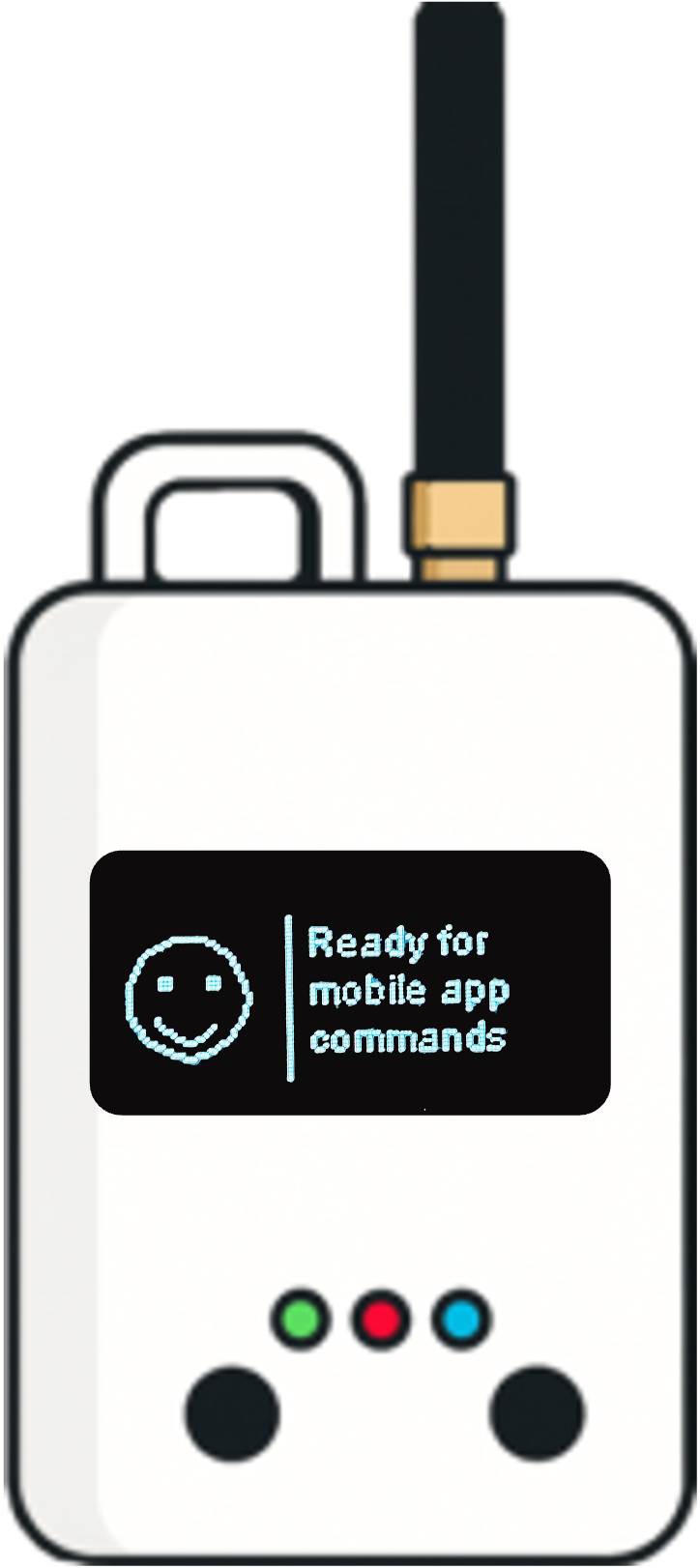
Every field test, centralized.

Tests run with the Loptimizer app sync to one shared web workspace. Follow field activity, compare sites, and share install-ready results with your whole team without exporting a single spreadsheet.

Buy Loptimizer
1

Shared workspace

Every test from every operator lands in the same place, organized by project.

Live

Field activity

See tests per day, pass rate, and average link margin as your team works on site.

0

Spreadsheets

No more exporting results from phones. Reports are ready the moment a test ends.

Dashboard

Know what happened in the field today

The dashboard gives managers a live view of field activity across all projects, so you can spot weak coverage early and keep deployments on schedule.
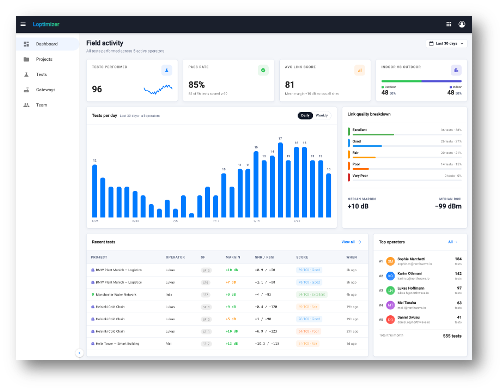
  • Tests performed, pass rate, and average link margin at a glance
  • Tests per day with daily or weekly views
  • Link quality breakdown from Excellent to Very poor
  • Recent tests and top operators across the team
Loptimizer web app dashboard showing field activity and link quality
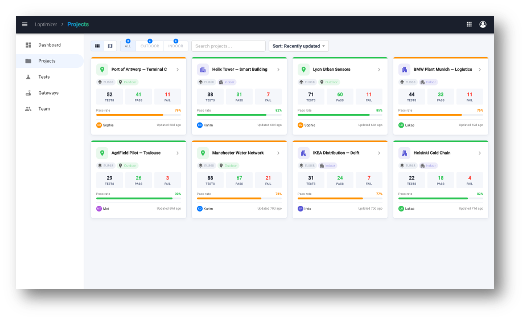
Loptimizer web app project list with pass and fail counts per site
Projects

Organize tests by site and customer

Group tests into projects for each building, campus, or customer deployment. Each project card shows its health so you know where to send a team next.

  • Test count, passes, and failures per project
  • Pass rate bar to compare sites instantly
  • Grid or list view with search and sorting
  • Owner and last update on every project
Project detail

Map every test point and its score

Open a project to see each test on a map with its score, then drill into link margin, signal, gateways heard, and the operator who ran it.
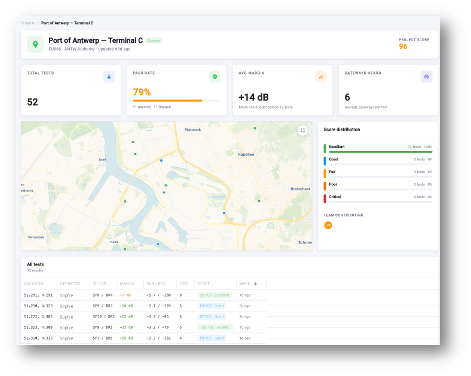
  • Project score, pass rate, and average margin
  • Map of every test location colored by score
  • Score distribution and team contributions
  • Full test table with SF, margin, RSSI/SNR, and gateways
Loptimizer web app project detail with test map and score distribution

Bring your field tests together

The web app works with the Loptimizer app and Pocket Tester you already use. Contact us to activate it for your team.

Test Loptimizer before buying

You can test the Loptimizer mobile app for free. Install the app and open demo mode to explore the workflow before buying the hardware.

Buy Loptimizer from Pilot Things

Leave your contact information and country. The Pilot Things sales team will contact you to complete your Loptimizer order.

Request web app access

The web app is in beta, so it is included free with your Loptimizer. To get access, send us the DevEUI of one of your Pocket Testers and the email to use for your account, and we will create it for you.

Don't have one yet? Buy Loptimizer

Contact support

Describe the issue and include the product DevEUI. The Pilot Things support team will follow up by email.