Back to Documentation

Configure score weights

Loptimizer calculates every test score from weighted components. Adjusting a weight changes how much that component contributes to the overall score, so you can align results with your deployment priorities.

1

Open Test score settings

In the app, open Settings, then tap Test score to access the score configuration.
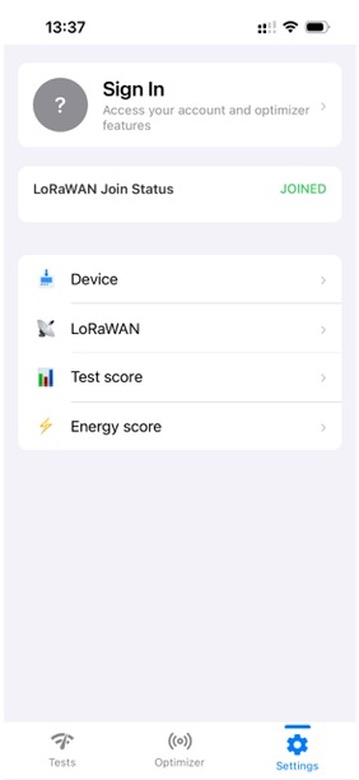
Loptimizer app Settings screen showing the Test score menu option.
Open Settings and select Test score.
2

Adjust the component weights

Drag the handles to change the contribution of Device reception, Gateway redundancy, Gateway reception, and Reliability. The weights together determine the score calculated for each test. Select Reset to Default at any time to restore the standard configuration.
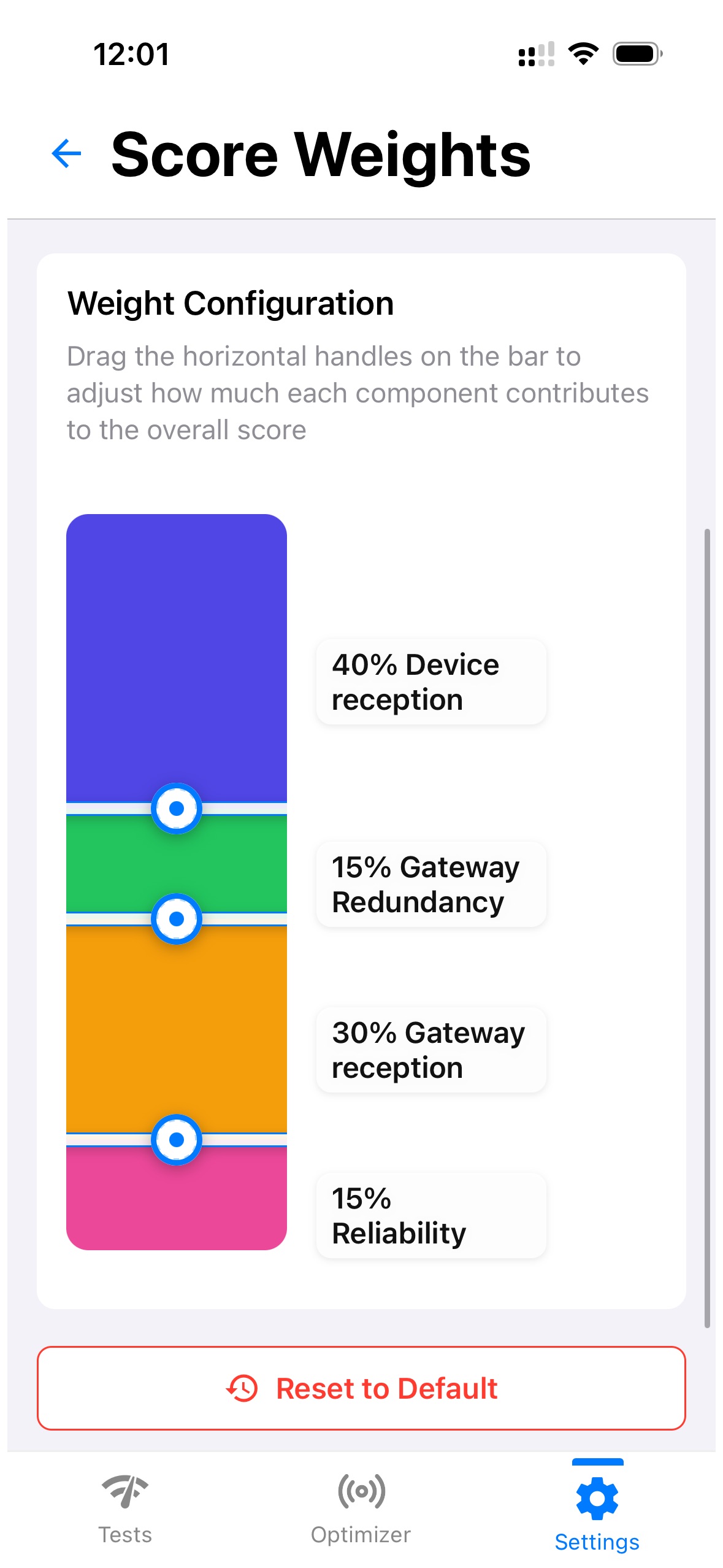
Loptimizer app Score Weights screen showing Device reception at 40 percent, Gateway redundancy at 15 percent, Gateway reception at 30 percent, and Reliability at 15 percent.
Change the weights to reflect the factors that matter most to your test results.

Test Loptimizer before buying

You can test the Loptimizer mobile app for free. Install the app and open demo mode to explore the workflow before buying the hardware.

Buy Loptimizer from Pilot Things

Leave your contact information and country. The Pilot Things sales team will contact you to complete your Loptimizer order.

Contact support

Describe the issue and include the product DevEUI. The Pilot Things support team will follow up by email.