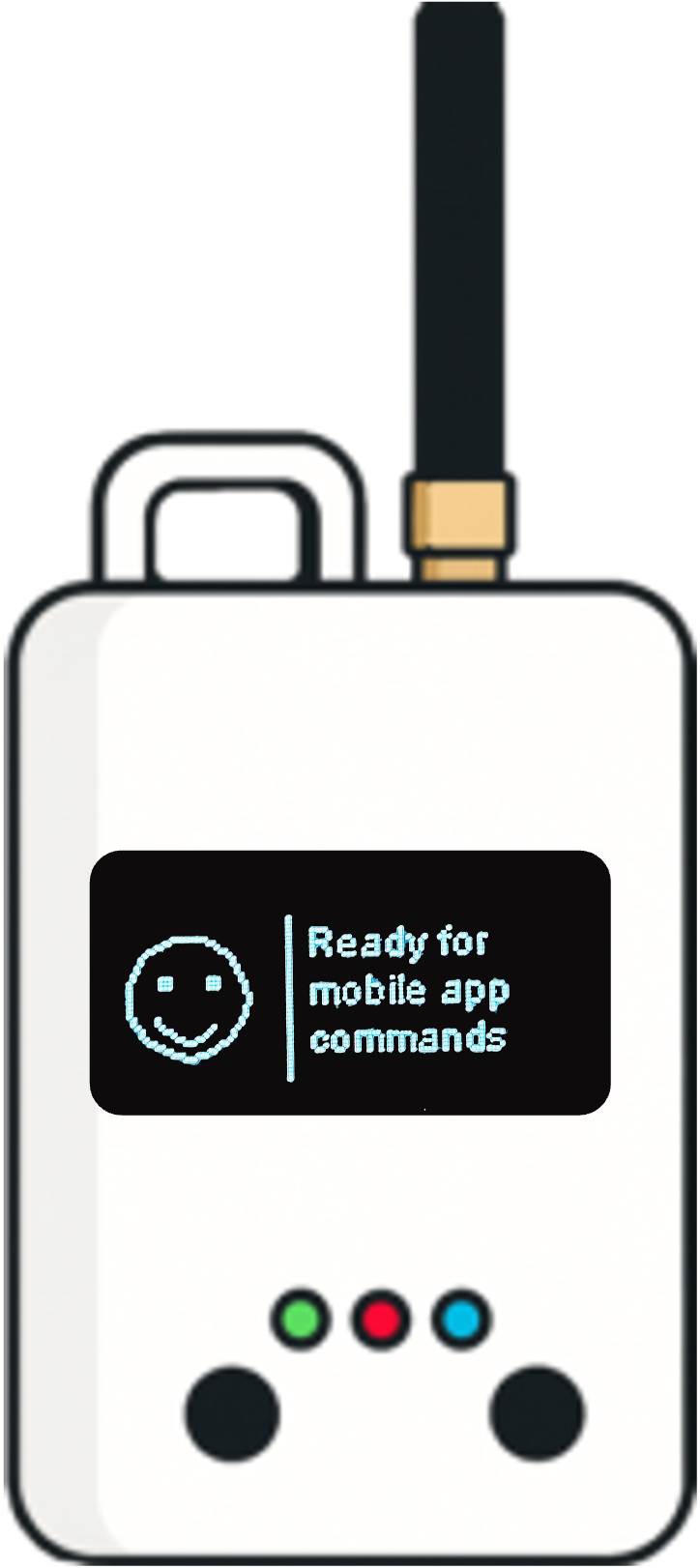
Field testing LoRaWAN shouldn't require a PhD in RF engineering
You're about to install 50 water meters, 200 smart building sensors, or a city-wide noise monitoring network. Before you commit, you need to know: will the signal hold? The tools you use to answer that question matter more than most people realize.
The LoRaWAN field tester market has grown up fast. What used to be a niche tool for RF specialists is now an essential step in every serious IoT deployment — and the products reflect that range. Some testers speak exclusively to engineers fluent in link budgets and spreading factors. Others try to bridge the gap to field technicians who just need a clear answer: "Is this location good enough?"
We built Loptimizer to land squarely in that second camp — without sacrificing the technical depth that experienced engineers expect. Here's how we stack up against the main alternatives on the market today.
Your phone is the tester. The score is the answer.
Every other tool on this list gives you data. Loptimizer gives you a decision.
The fundamental design difference: competing products show you RSSI, SNR, and packet error rate — and leave interpretation to you. A reading of −95 dBm: good or bad? It depends on the spreading factor, the gateway margin, the redundancy, and a dozen other factors. RF engineers know how to parse this. Installers, project managers, and field technicians often don't.
Loptimizer translates those raw metrics into a 0–100 location score, calculated from a weighted combination of device reception quality (40%), gateway reception quality (30%), gateway redundancy (15%), and link reliability (15%). The weighting is adjustable per organization.
What a score of 95 tells you
No spreadsheet. No RF formula lookup. Just a score, a color, and a recommendation. That's the difference between a tool that helps a specialist and a tool that empowers a team.
A mobile app that works like a modern app should
The Adeunis FTD has no smartphone app at all — data goes to a PC via USB. The Watteco Netw'O has a rudimentary BLE companion app. The Glamos Walker's Walk App requires WiFi in the field and is primarily a post-session visualization tool. The Milesight FT101 is itself an Android device — which means you're carrying a second screen.
Loptimizer's mobile app — available on iOS and Android — is the interface. Your Pocket Tester connects via Bluetooth; your phone shows real-time scores, GPS-tagged results on a map, and project-organized test history synced instantly to the web dashboard.
GPS-tagged on a map
Every test result is pinned to its exact location. See coverage gaps on an actual map — not in a CSV.
Projects & floors
Organize tests by building, floor, or outdoor survey zone. Indoor and outdoor workflows built in.
Optimizer
Automatically finds the best DR + TX Power combo for any sensor model — maximizing signal and battery life.
The Optimizer: where no competitor goes
Beyond signal testing, Loptimizer includes a feature that no other tool on this list offers: an automated LoRaWAN Optimizer. Select your sensor model (e.g., Milesight AM103, Dragino LHT65), and the optimizer runs a systematic sweep across all valid Data Rate and TX Power combinations. It calculates a combined performance score weighted by link quality and energy efficiency — then recommends the single best configuration for that specific location.
In one real-world example visible in demo mode, the optimal configuration of DR4 (SF8) at 16 dBm delivered a performance score of 96/100 with a total energy consumption of just 1.70 µAh per transmission. Choosing DR0 instead? Up to 50% more battery drain for the same location. The Optimizer makes this choice automatically, quantifiably, and without any RF knowledge required.
Feature comparison at a glance
Based on publicly available product information as of June 2026.
| Feature | Loptimizer | Adeunis FTD | Glamos Walker | Watteco Netw'O | Milesight FT101 |
|---|---|---|---|---|---|
| Smartphone app (iOS & Android) | ✓ | ✗ | ✗ | Basic | Android built-in |
| Intuitive 0–100 location score | ✓ | ✗ | ✗ | ✗ | ✗ |
| Real-time map view | ✓ | ✗ | ✓ | ✗ | Basic GPS log |
| Web dashboard for teams | ✓ | ✗ | ✓ | ✗ | ✗ |
| Team / operator management | ✓ | ✗ | ✗ | ✗ | ✗ |
| Project / floor organization | ✓ | ✗ | Partial | ✗ | Location tags |
| DR + TX Power Optimizer | ✓ | ✗ | ✗ | ✗ | Manual sweep |
| Battery life optimization | ✓ | ✗ | ✗ | ✗ | ✗ |
| Use your own phone | ✓ | ✗ | ✗ | ✓ | ✗ |
| Coverage map / heatmap | ✓ | ✗ | ✓ | ✗ | ✗ |
What does it actually cost to equip a team?
Hardware price is only part of the picture. Some tools require additional software subscriptions, carry hidden per-device licensing costs, or lock team management behind a separate tier.
| Cost element | Loptimizer | Adeunis FTD | Glamos Walker | Watteco Netw'O | Milesight FT101 |
|---|---|---|---|---|---|
| Hardware (per unit) | $ | $$ | $$ | $ | $$$$ |
| Mobile app | Free | None | None | Free | Built-in (Android) |
The cost that compounds silently is the re-testing that happens when installers can't make a confident decision on site — or the truck rolls that follow a poorly-placed sensor draining its battery in 18 months instead of 5 years. A tool that produces a clear score and an Optimizer recommendation doesn't just cost money. It saves it, on every deployment where a technician avoids a second visit.
Why Loptimizer is the right choice for most teams
Every tool on this list measures signal. Only Loptimizer tells you what to do with it.
The others — whether it's a dedicated handheld with no app, a power-user device limited to its own small screen in the field, or a high-end Android tablet — all share the same fundamental gap: they produce raw RF data and hand the interpretation back to you. That works if everyone on your team is an RF engineer. Most teams aren't.
Loptimizer is built for the reality of IoT deployments: mixed teams, tight schedules, and the expectation that an installer standing in a basement or on a rooftop should be able to make the right call without calling a specialist. The 0–100 location score, the visual map, the project organization by building and floor — these aren't simplifications. They're how professional tools should work.
And with the mobile app free and no second device to carry, there's no training program to run and no steep learning curve to climb. Your team picks it up and uses it correctly on day one.
The bottom line
The LoRaWAN field tester market has been waiting for a product that bridges the gap between RF specialist tools and real-world deployment teams. That's the gap Loptimizer fills — with a mobile-first experience, an intelligible scoring system, and the only automated optimizer in the category.
Best for field teams
Loptimizer
Score, map, decide — in seconds
Best for RF specialists
Glamos Walker
Raw depth + heatmap power
Best for confined spaces
Watteco Netw'O
BLE control, no screen needed
Best for Milesight estates
Milesight FT101
Noise scan + NFC config
Try It Free
See Loptimizer before you buy
Download the app, switch to Demo Mode, and explore every feature with sample data — no Pocket Tester required. When you're ready, order your hardware and go live the same day.
Available on iOS & Android · Web dashboard included · loptimizer.com