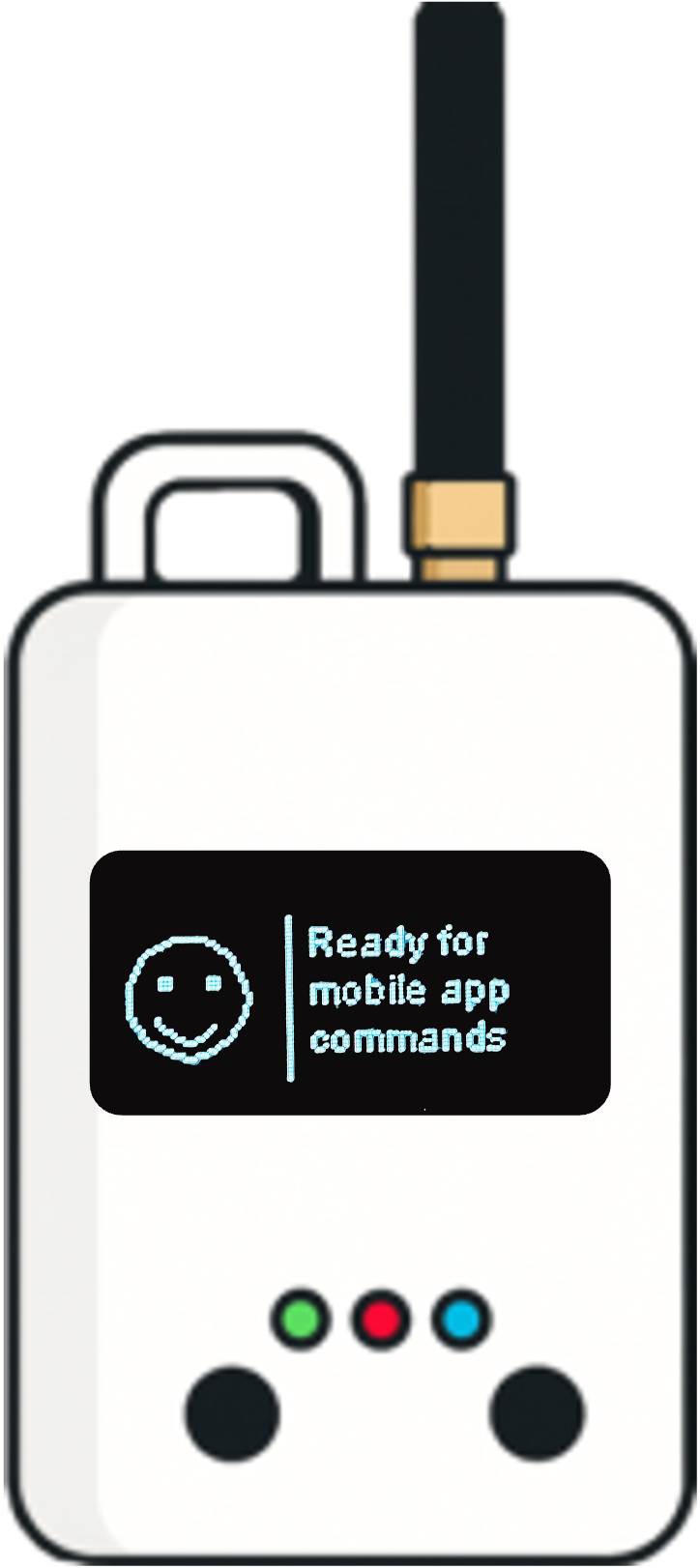
How do you test a LoRaWAN network?
Test a LoRaWAN deployment by combining coverage simulation, repeated measurements at the actual sensor locations, and end-to-end application checks. Record packet delivery, RSSI, SNR, data rate, transmit power and gateway reception. Verify joins and downlinks separately, then repeat the survey after changing gateway or sensor placement.
A coverage map helps decide where to test. A successful packet proves communication at one moment. A deployment decision needs both a plan and repeatable evidence. This guide explains the main LoRaWAN testing methods and how Loptimizer Coverage Studio and the Pocket Tester fit into that process.

Choose the testing method for the question
Bench and integration testing: Can the device join the intended network, send a decoded payload and receive the required downlink? Check credentials, regional channel configuration, firmware and application integration before travelling to site.
RF and conformance testing: Does the hardware meet its radio specifications and the device implement the protocol correctly? These require appropriate laboratory procedures. LoRaWAN certification follows the LoRa Alliance certification process. A successful site survey does not certify a product.
Coverage simulation: Where might a gateway reach, and which candidate locations deserve a visit? Propagation modelling supports planning before installation. It cannot prove that a sensor inside a metal enclosure will deliver data.
Walk tests, drive tests and indoor surveys: What happens at the actual installation points? A field tester can collect location-specific radio measurements. Walking routes support outdoor surveys; indoor tests should identify the building, floor, room and final mounting position.
Operational testing: Does the application receive data reliably over time and under representative load? Use server and application logs to investigate missing messages, backhaul failures, integration issues and downlink behaviour.
If your question is which hardware to use, see our LoRaWAN field tester comparison. Here the focus is the testing procedure.
What to measure during a LoRaWAN coverage test
- Packet delivery ratio (PDR): unique received application uplinks divided by known transmitted test uplinks, multiplied by 100. Count a message heard by several gateways once. Record the observation point and how the transmitted count was obtained.
- RSSI: received signal strength in dBm, recorded per receiving gateway where available. Interpret it alongside receiver sensitivity and radio settings.
- SNR: signal-to-noise ratio in dB. LoRa can decode below the noise floor, so a negative value alone does not mean failure. Its usable limit depends on spreading factor and receiver characteristics.
- Data rate and transmit power: keep these in the report. Results at the most robust data rate cannot establish reliability at a faster setting.
- Gateway diversity: record which gateways heard the packets. Several receptions can provide redundancy, but they do not prove independent backhaul or power supplies.
- Join and downlink results: verify network activation and the device's required receive behaviour. Uplink reception alone does not demonstrate downlink reliability.
- Application delivery: check that the decoded measurement reaches its destination, with the expected timestamp and content.
The Things Network explanation of RSSI and SNR provides the radio definitions. These metrics describe reception; packet counts and application logs establish delivery.
Example, not a benchmark: if you transmit 100 known test uplinks and the application receives 97 unique messages, observed PDR is 97%. State the payload size, interval, data rate, power, location and duration. A short sample is not evidence of months of reliability, and 97% is not a universal acceptance threshold.
Step 1: define acceptance criteria before the survey
Write down the application's delivery target, reporting interval, payload size, required downlinks and critical locations. A water meter that stores readings and retries later has different needs from an alarm. Define the required redundancy and how you will check it.
Use the intended network and region. Confirm that the tester joins and that its payload reaches the application at a known good location. Follow applicable regional transmission constraints and network policies when choosing the test interval. A high-rate burst may be unrepresentative of normal operation.
Record the sensor's antenna, enclosure, height and orientation. A tester held at chest height outside a cabinet does not represent a sensor mounted near the ground inside that cabinet.
Step 2: simulate candidate gateway coverage in Coverage Studio
Loptimizer Coverage Studio is a free browser-based LoRaWAN coverage planner. Place candidate gateways on the map and set the region, transmit power, antenna gain and height above ground. Its ITM / Longley–Rice propagation model uses terrain to estimate reception and draw coverage contours.
The current free version supports up to five gateways, 30 m terrain resolution and a maximum simulation range of 30 km around each gateway. These are planning limits, not promises about real LoRaWAN range.
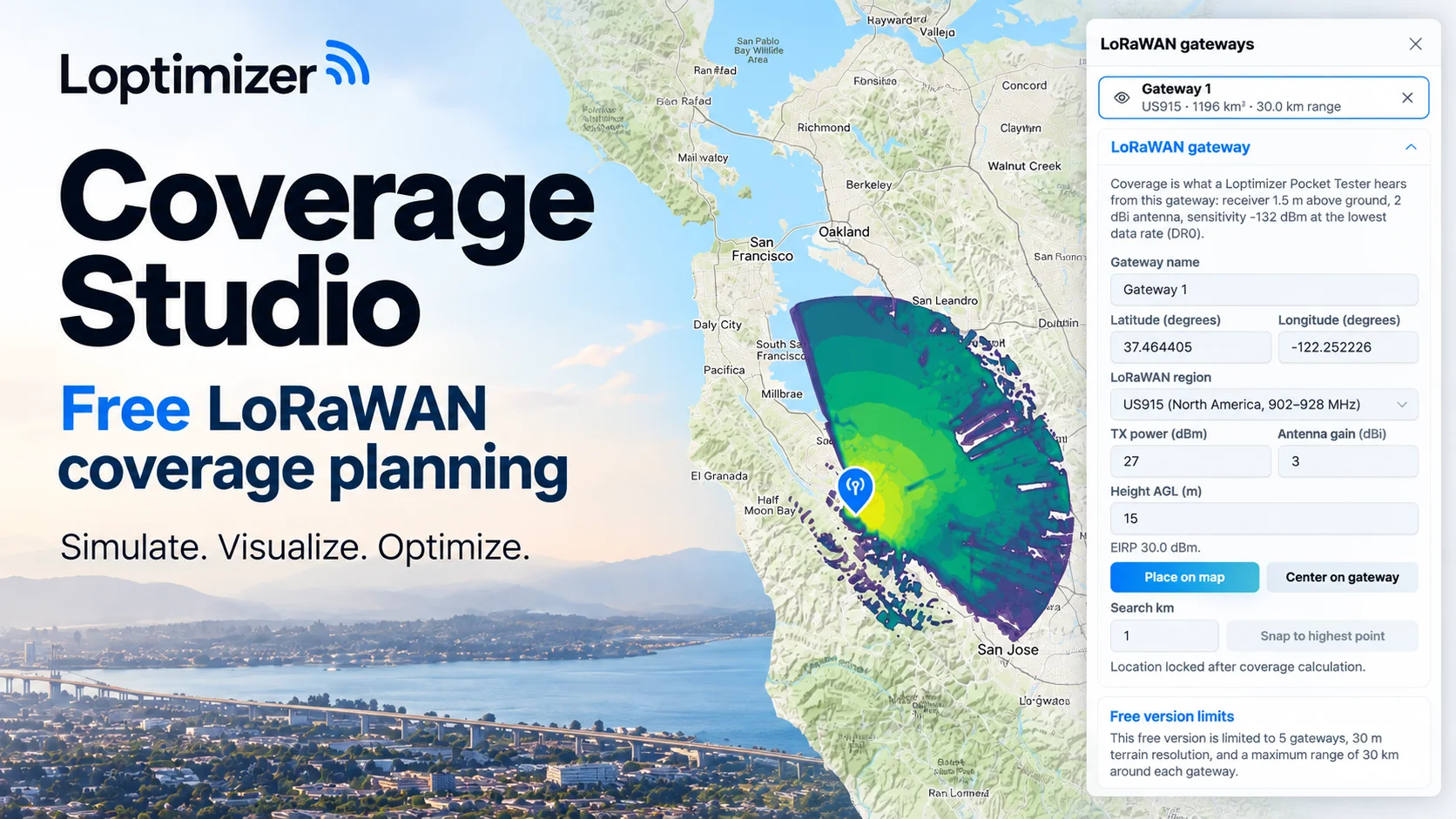
Read the map's direction and assumptions correctly. Studio models what a Pocket Tester hears from the configured gateway. Its receiver profile assumes a height of 1.5 m, a 2 dBi antenna and sensitivity at the region's lowest data rate. That is a gateway-to-tester prediction; it is not direct proof of sensor-to-gateway delivery at every data rate.
Use the map to compare candidate sites and identify terrain shadows, coverage edges and possible overlap. Select survey points in each of those areas, plus every business-critical installation point. A 30 m terrain model does not resolve individual walls, cabinets, basements or local interference. Those need real tests.
Step 3: validate at the actual sensor positions
Install or temporarily position the gateway in a representative configuration. With the Loptimizer Pocket Tester and mobile app, run tests at the planned sensor positions and organize the results by project and location. For your first setup, follow the first LoRaWAN unit test guide.
At each point, repeat transmissions rather than relying on a single successful packet. Keep radio settings fixed while comparing locations, and record any ADR-driven changes. Capture RSSI, SNR, gateway reception and test results; use server or application logs where necessary to calculate delivery over the full sample.
For indoor surveys, test the exact room and mounting position, including basements and enclosed utility spaces. For outdoor surveys, sample predicted strong areas as well as edges and shadow zones. Record failures, too: omitting failed locations makes a survey map look better than the deployment.
Loptimizer's location score helps teams interpret a test, but preserve the underlying observations and radio settings for engineering review. Finally, validate with the actual sensor in its final enclosure; antenna and mounting differences can change the result.
Step 4: compare predictions with measurements and revise
Coverage Studio introduces a practical hybrid approach to LoRaWAN testing: simulate to choose where to investigate, measure to check the installation, then revise the plan using what you learned. The novelty for the Loptimizer workflow is bringing terrain-based planning alongside its field-testing tools.
Review predicted and measured results side by side at matching locations. If predicted coverage looks strong but real reception is weak, inspect antenna placement, cables, building losses, interference and differences between the tester and sensor. If reception is good but application delivery is poor, investigate server, backhaul and integration logs before moving the gateway.
Change one variable at a time: gateway location, mounting height, antenna installation or sensor position. Update the planning inputs, rerun the simulation and revisit the affected survey points. Keep a record of the original and revised configurations.
This is a workflow across the planner, field tools and your test records. It does not imply automatic import of field measurements into Coverage Studio or automatic calibration of its propagation model. The value is a documented loop between predictions and observations.
Step 5: test settings, downlinks and long-term operation
Once placement works, evaluate representative data-rate and transmit-power combinations. Loptimizer's Optimizer supports exploring these settings; confirm the chosen configuration on the real sensor and with the intended network behaviour. More robust settings can increase airtime, so choose against the application's reliability and energy needs.
Check joins after a restart and required downlinks in the device's operating class. For Class A, receive opportunities follow an uplink: application commands must be tested in that context. Allow normal ADR behaviour during an extended observation period and keep the resulting settings in your records.
Finish with a pilot using representative reporting intervals and device numbers. Coverage simulation is not a capacity or collision simulation. A single tester cannot establish performance for a large fleet, and a short survey cannot capture every change in interference or site conditions.
LoRaWAN testing checklist and report template
Copy this checklist into your deployment report:
- Site, date, operator, network, region and gateway identifiers.
- Gateway coordinates, antenna height, gain, cable configuration and power settings.
- Sensor or tester model, firmware, antenna, enclosure, orientation and exact position.
- Simulation settings, predicted coverage and selected survey points.
- Test duration, interval, payload size, data rate, transmit power and ADR state.
- Transmitted count, unique received count, PDR observation point and failed tests.
- RSSI, SNR and receiving gateway identifiers where available.
- Join, downlink and application-integration checks.
- Acceptance criteria, observed results, unresolved gaps and retest decisions.
Keep predictions and measurements clearly labelled. This makes the report useful to the next installer and gives the team a basis for investigating later failures.
Frequently asked questions about LoRaWAN testing
Can I test coverage without installing a gateway? You can simulate candidate sites before installation. Real validation needs an accessible operating network and representative device placement.
What is a good RSSI for LoRaWAN? There is no single pass value for all devices and data rates. Compare reception with the relevant sensitivity, examine SNR and margin, then verify packet delivery against the application's target.
Does a successful join prove coverage? It proves the join exchange succeeded at that time. Repeat application transmissions and test required downlinks at the final installation point.
Can simulation replace a field survey? Simulation helps prioritize survey work. It cannot confirm indoor attenuation, interference, device configuration or application delivery.
Is the hybrid approach automatic model calibration? The current workflow combines planning and field validation through team review. It does not automatically fit the propagation model to uploaded measurements.
Start with a plan, finish with measured evidence
Open Coverage Studio to compare gateway placements, then validate your priority locations with Loptimizer. Explore the Pocket Tester and keep the checklist above with your deployment records. The result is a coverage decision supported by both a prediction and real tests.